
What Easy Parked actually does
Easy Parked (often branded as EasyPark) is a mobile payment and discovery platform for paid parking. It is not a magic generator of free spots, but a practical tool to locate and pay for parking in cities worldwide. The app connects drivers directly with parking operators, allowing you to pay for street meters and garage spots using your phone. This eliminates the need for cash, coins, or hunting for specific parking tickets.
The platform covers over 20,000 cities across more than 90 countries. Its primary strength lies in Europe, where it holds the top spot for coverage, but it also operates in the United States, Canada, Australia, and New Zealand. When you use the app, you select your location, confirm your license plate, and pay via a saved payment method. The system handles the rest, sending you digital receipts and expiry alerts.
While the app itself is free to download and create an account, there is a service fee added to every transaction. This fee is charged by Easy Parked on top of the cost set by the local parking operator. The fee is transparent and displayed before you confirm payment. It is important to remember that Easy Parked does not control local parking rates or regulations; it simply facilitates the payment process for existing paid zones.
Finding affordable parking spots near destinations
The primary advantage of using Easy Parked is the ability to see real-time pricing before you commit to a spot. Instead of circling blocks hoping for a free meter or guessing the cost of a nearby garage, the app displays the exact rate for each zone. This transparency helps you choose between a cheaper, slightly farther street zone or a pricier but more convenient garage entrance.
When you search for a destination, the map highlights available spaces with clear price tags. You can filter results by cost to find the most budget-friendly options within your walking distance. This feature is particularly useful in dense urban centers where parking rates can vary significantly block by block.
Beyond the hourly rate, the app shows the total estimated cost for your planned stay. This prevents surprise fees and helps you stick to your travel budget. You can also see if a location offers maximum time limits or daily caps, which often provide better value for longer visits than per-hour street parking.
How to pay without a meter
The "spin, tap, go" workflow eliminates the need to hunt for coins or fumble with physical tickets. Instead of stopping your car to interact with a machine, you handle the transaction entirely from your phone. This method is available in most urban zones where digital parking is supported, turning a potential headache into a background task.
1. Open the app and find your zone
Launch your parking app and allow location access, or manually search for your current area. The app will display nearby parking zones and their specific rates. Look for the blue zone markers on the map or use the search bar to type in the street name. This step ensures you are selecting the correct zone, as rates and restrictions vary block by block.
2. Scan the QR code or select the zone
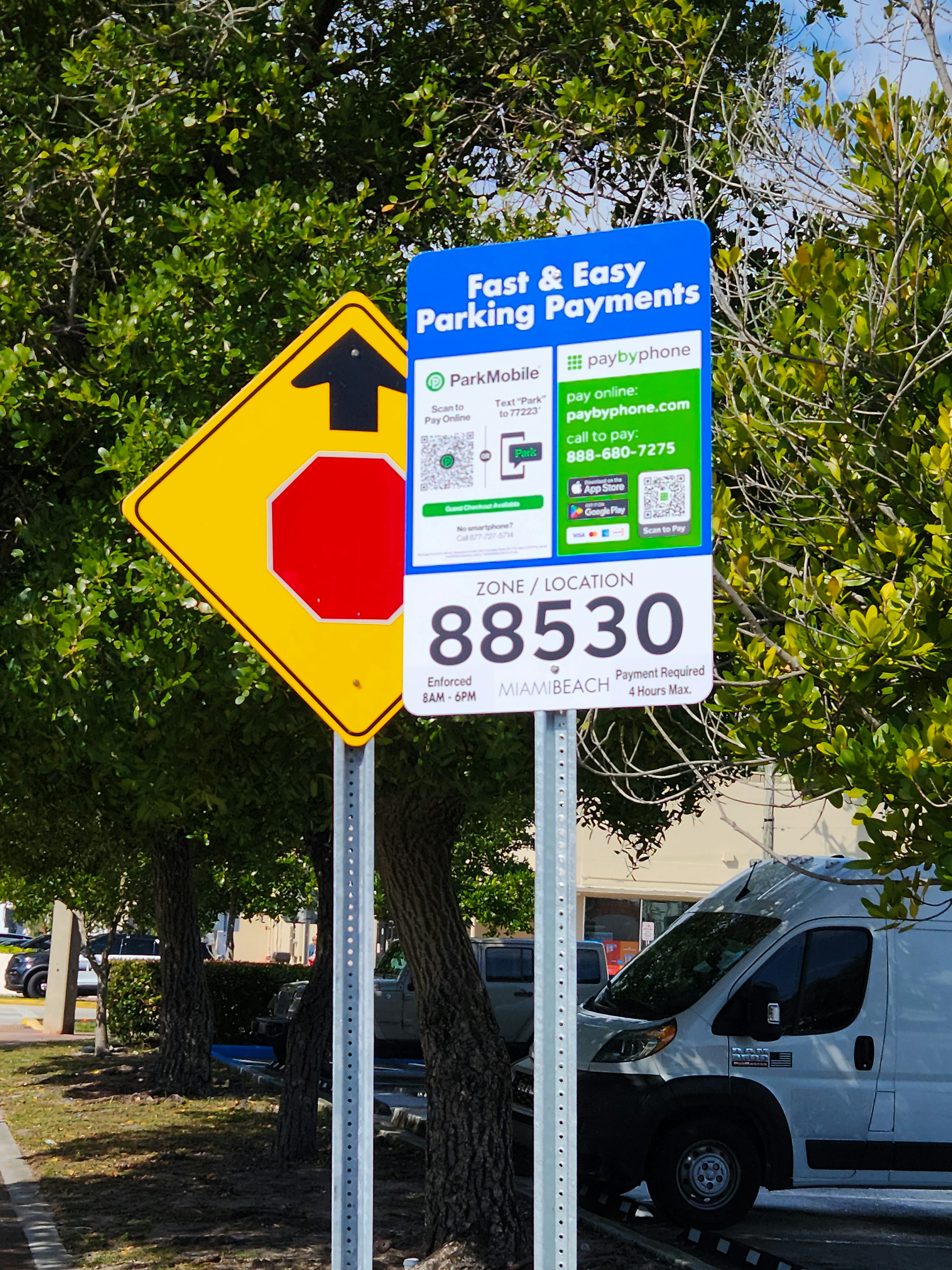
Once you are parked, locate the nearest QR code on a nearby signpost or pillar. Open your camera to scan it, which instantly registers your vehicle and location. If a code is missing or unreadable, manually select your zone from the app’s list. This action tells the system exactly where your car is parked, preventing incorrect charges.
3. Set your duration and pay
Choose how long you plan to stay. The app will calculate the total cost, including any service fees, before you confirm. Enter your payment details if they are not already saved. You can also set a reminder to extend your time remotely if you need to stay longer, avoiding the risk of a parking ticket.
4. Drive away
With the payment confirmed, you are free to go. The app monitors your session and will send a push notification when your time is running low. This allows you to extend your parking from anywhere, ensuring you never have to rush back to your car or worry about expired meters.
Launch your parking app and allow location access, or manually search for your current area. The app will display nearby parking zones and their specific rates. Look for the blue zone markers on the map or use the search bar to type in the street name. This step ensures you are selecting the correct zone, as rates and restrictions vary block by block.
Once you are parked, locate the nearest QR code on a nearby signpost or pillar. Open your camera to scan it, which instantly registers your vehicle and location. If a code is missing or unreadable, manually select your zone from the app’s list. This action tells the system exactly where your car is parked, preventing incorrect charges.
Choose how long you plan to stay. The app will calculate the total cost, including any service fees, before you confirm. Enter your payment details if they are not already saved. You can also set a reminder to extend your time remotely if you need to stay longer, avoiding the risk of a parking ticket.

With the payment confirmed, you are free to go. The app monitors your session and will send a push notification when your time is running low. This allows you to extend your parking from anywhere, ensuring you never have to rush back to your car or worry about expired meters.
Service fees and true parking costs
When you use Easy Parked, the price you see on the meter is rarely the final price. The app charges a service fee on top of the base parking rate set by the city or operator. This fee covers the technology, payment processing, and the ability to extend your time remotely. While the base rate remains the same as walking up to a physical meter, the added service fee is what you pay for convenience.
To understand if the app is affordable for your daily commute or occasional trip, you need to calculate the total cost. A 30-minute parking session might cost $2.00 at the meter, but with the app, it could be $2.50 or more depending on the local service fee structure. For short stops, this difference is negligible. For all-day parking, however, the cumulative service fees can add up significantly.
| Cost Component | Traditional Meter | Easy Parked App |
|---|---|---|
| Base Parking Rate | Fixed by operator | Fixed by operator |
| Payment Method | Cash or Card | Mobile Payment |
| Service Fee | None | Added per session |
| Time Extension | Must return to car | Remote via app |
| Expiry Alerts | None | Automatic push notification |
The table above highlights the core difference: you are paying for the service layer, not the parking space itself. If you park in the same spot every day for eight hours, the service fee might make the app more expensive than a monthly permit. But if you are hunting for spots or need to extend time unexpectedly, the app saves you from parking tickets and the hassle of running back to your vehicle.
Always check the app before you park to see the exact service fee for that specific zone. Some cities have waived service fees for certain users or during promotional periods. Knowing the true cost upfront helps you decide whether to use the app for that specific trip or stick to cash and coins for a quick stop.
Where Easy Parked Operates
EasyPark is primarily a European utility, dominating parking coverage across the continent. The app is active in over 90 countries, with strong integration in major urban centers like London, Paris, Berlin, Amsterdam, and Stockholm. If you are traveling through Europe, this is likely the most comprehensive tool for street and garage parking.
For travelers in the United States, availability is more selective. EasyPark operates in specific US markets, including parts of California, New York, and Florida. However, it does not cover the entire country. In many US cities, local municipal apps or competing platforms may offer better coverage. Always check the app’s city list before relying on it for your entire trip.
The service also extends to Australia, Canada, and New Zealand. In these regions, coverage mirrors the European model: robust in city centers and tourist hubs, but potentially sparse in rural areas. For international travelers, the app serves as a reliable backup in major destinations, but local knowledge or dedicated city apps might be necessary for complete coverage.
Tips to save on urban parking
Using the EasyPark app effectively is less about finding a spot and more about managing the time you have once you are parked. The interface is straightforward, but small habits can prevent unexpected fees or fines. Think of the app as a digital valet that needs clear instructions to work best.
Start by verifying your zone and payment method before you leave the car. Most apps require you to confirm the exact parking area code or select the correct operator from a list. If you guess the zone, the timer might not start, or worse, it might start on the wrong meter, leaving you liable for a violation.
Once parked, set a reminder for ten minutes before your session ends. The app will often send a push notification, but relying on a separate phone alert gives you a buffer to extend your time remotely. This feature allows you to add minutes without walking back to the car or searching for a kiosk, which is especially useful in busy downtown areas.
Always check for daily caps or maximum stay limits posted on nearby signage. Some garages cap the total cost for a 24-hour period, meaning extending your time beyond that limit is a waste of money. Other zones may have a hard stop, like "Two Hour Limit," where the app simply won't let you extend past that window. Knowing these rules upfront saves both time and cash.
Before you drive away, run through this quick checklist to ensure your session is secure and cost-effective:
-
Confirm the correct parking zone or operator is selected in the app.
-
Verify your payment method is up to date and has sufficient funds.
-
Check for daily maximums or time limits on nearby signage.
-
Set a personal reminder for ten minutes before the session expires.
Common questions about Easy Parked
Does EasyPark work in the USA?
Yes, the app operates in the United States alongside its primary presence in Europe and other global markets. You can use it in major cities across the country to pay for street parking or find spots in participating garages. Check the app’s city list to confirm coverage in your specific location before relying on it for your trip.
Does EasyPark charge a fee?
Creating an account is free, but the app adds a service fee on top of the actual parking costs. This fee covers the convenience of mobile payment and remote extensions. You will see the total cost, including this service charge, before you confirm your payment, so there are no hidden surprises.
Who is EasyPark?
EasyPark Group is a global mobility platform that simplifies parking in over 20,000 cities. In 2025, the company expanded its reach significantly by acquiring Flowbird Group, strengthening its infrastructure across more than 90 countries. Their goal is to make urban mobility smoother for drivers everywhere.
What is EZPark used for?
EZPark allows drivers to pay for parking directly from their phone, eliminating the need to visit a physical meter. The app sends alerts ten minutes before your time expires and lets you extend your session remotely. This is useful for adding time without returning to your car, as long as local signage permits it.
No comments yet. Be the first to share your thoughts!